DbGate Classic
What is DbGate?
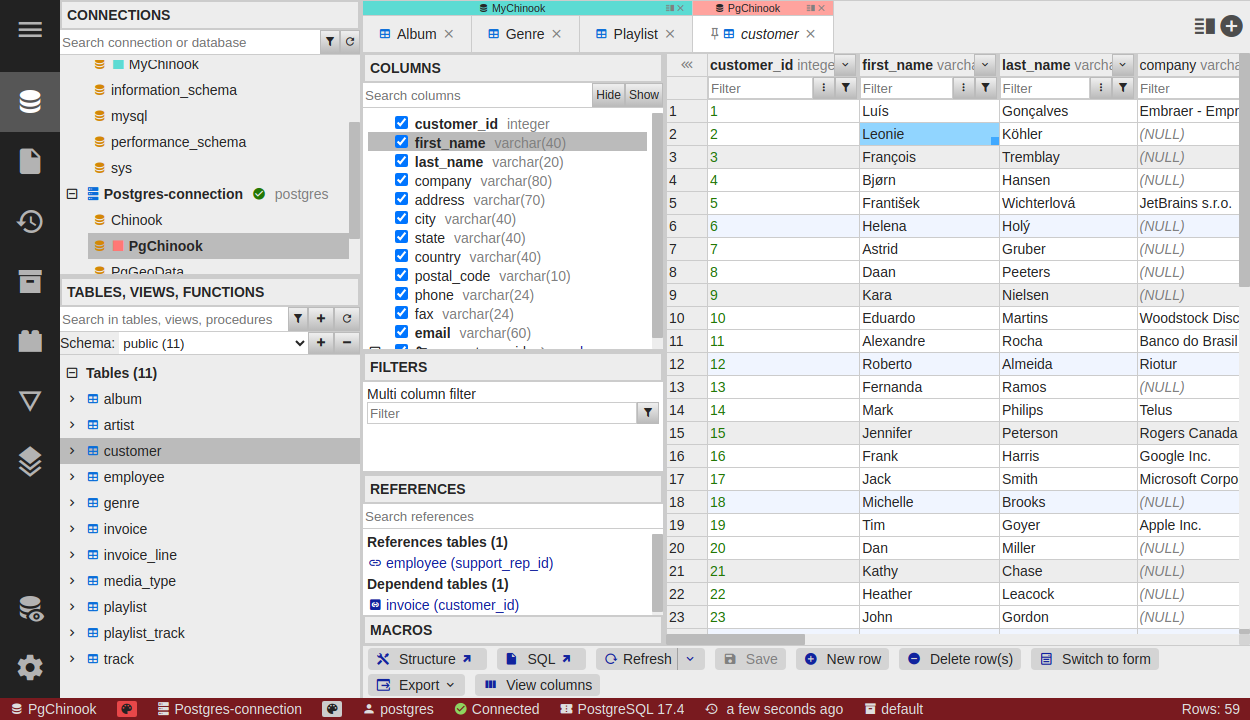
DbGate is database manager, allowing to connect and work with supported databases. It is both desktop app and web app. It’s designed to by fast and easy to use.
DbGate Classic is the original DbGate application. For the browser-based and hosted products (DbGate Lite, Central and the Shopify App), see the products overview.
Supported databases
| Database | Community |
Premium |
Extra Features |
|---|---|---|---|
| MySQL | Backup, Restore | ||
| PostgreSQL | Backup, Restore | ||
| SQL Server | |||
| Oracle | |||
| SQLite | |||
| MongoDB | |||
| Cassandra | |||
| ClickHouse | |||
| Redis | |||
| MariaDB | Backup, Restore | ||
| CockroachDB | |||
| DuckDB | |||
| Firebird | |||
| libSQL | |||
| CosmosDB | |||
| Amazon Redshift | |||
| Firestore | |||
| Amazon DynamoDB |
Supported platforms
- Desktop
- Windows
- MacOS (both ARM and Intel processors)
- Linux
- Web version
- Docker
- NPM
- Azure
- AWS
Editions
DbGate Classic comes in three editions:
| Edition | Distribution | Notable features |
|---|---|---|
| Community | Desktop app, or self-hosted web (Docker/NPM), free | Connect and browse/edit standard SQL and NoSQL databases, Redis GUI, up to 5 DbGate Cloud connections/files |
| Premium | Desktop app (single user) | Everything in Community, plus query designer, charts, editable query results & views, master/detail views, AI tools (DB chat, explain error, theme assistant), compare & deploy DB models, advanced/batch export-import, data deployer, API connections (GraphQL/oData/OpenAPI), extra database engines (libSQL, CosmosDB, Amazon Redshift, Firestore, Amazon DynamoDB), unlimited DbGate Cloud storage |
| Team Premium | Desktop app + self-hosted web (Docker/NPM/AWS/Azure) | Everything in Premium, plus web application, Administration UI, users/roles/permissions, external identity providers (OAuth/OIDC), zero-config native backup & restore |
In this section
- Getting Started - install DbGate and connect to your first database
- Working with Data - browse, edit, filter, chart, map, export and archive data
- SQL & Queries - SQL editor, visual query designer and ER diagrams
- Database Operations - edit schema, compare and deploy models, back up and restore
- Customization - configure appearance and runtime settings
- Administration - manage users, roles and permissions (Team Premium)
- Developer & Automation - scripts, API connections and plugins
- DbGate Cloud - online storage for your connections, SQL scripts and shared folders