Data browser & editor
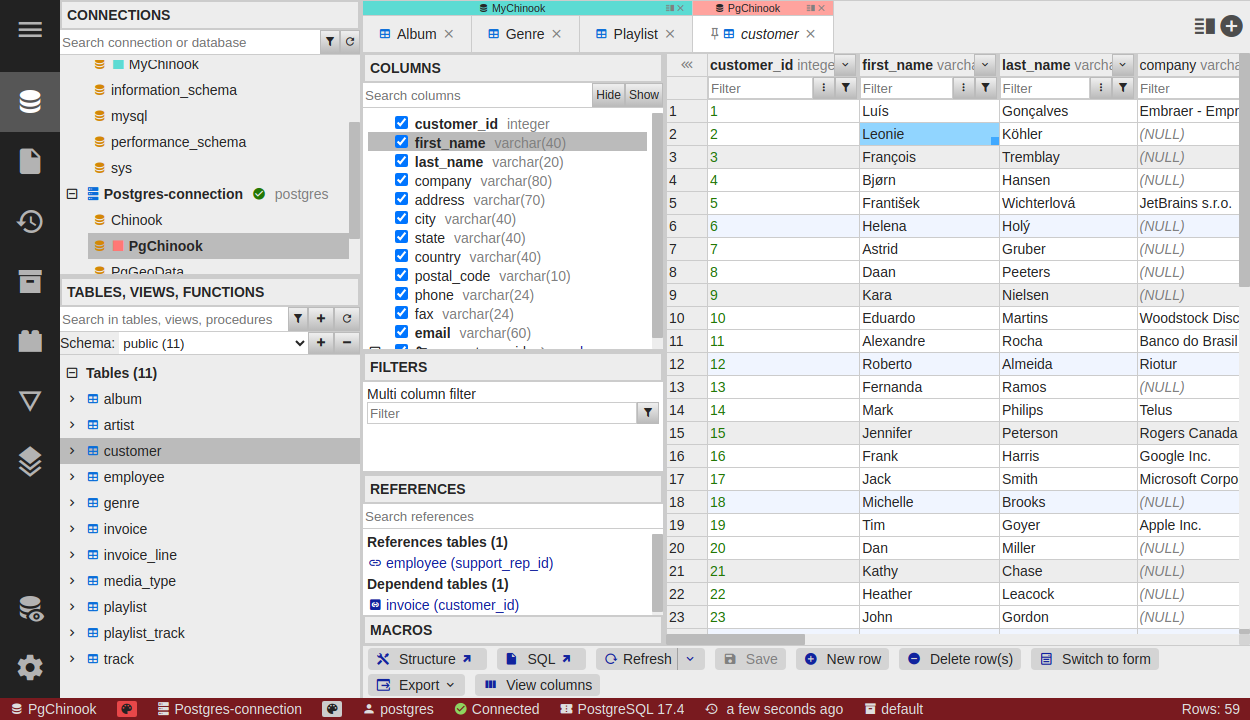
The data browser is DbGate’s core view for looking at and editing table data. Open any table, view or collection to get a fast, Excel-like grid. This page covers browsing, editing and navigating related data; for filter expressions see Data filtering.
Browsing data
- Keyboard navigation - move around the grid with the arrow keys, like in a spreadsheet.
- Sort - click a column header to sort by that column.
- Filter - filter rows using the filter row above the grid; see Data filtering for the full expression syntax.
- Column manager - find columns by name and hide the ones you don’t need.
- Advanced copy - copy selected cells as CSV, YAML, SQL
INSERTs or MongoDB inserts.
Editing data
Data editing works directly in the grid:
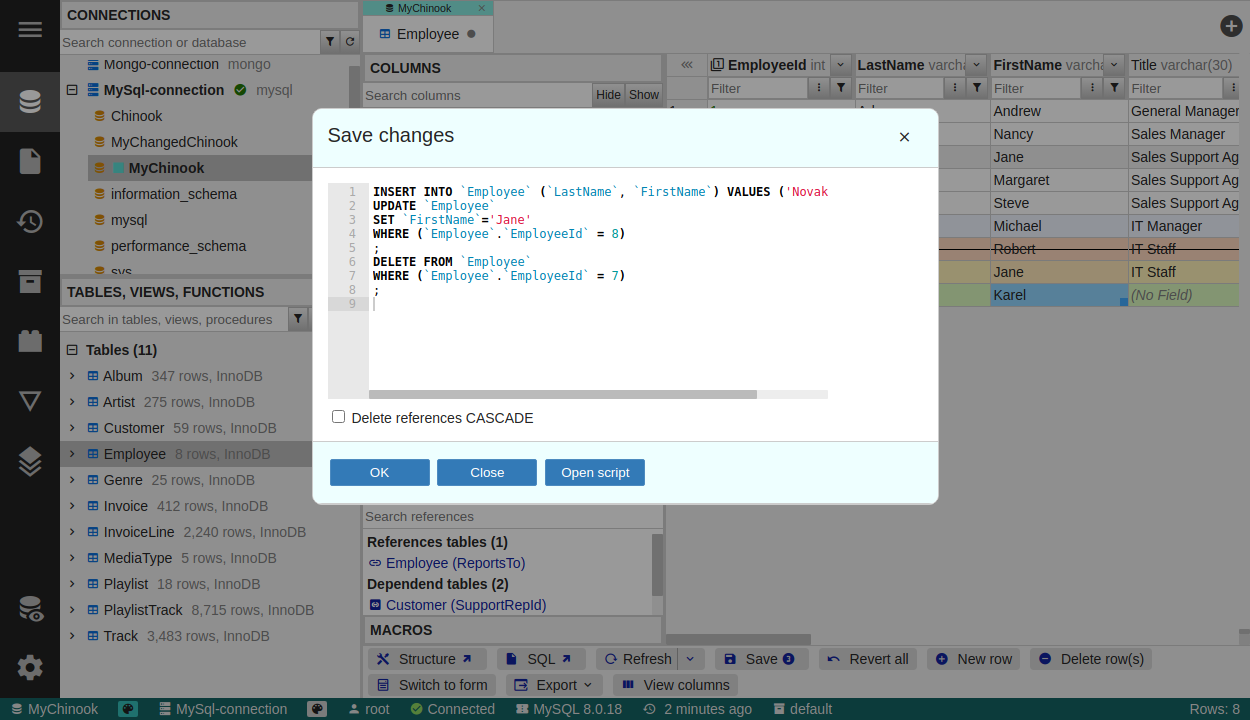
- Excel-like editing - edit cells in place; copy and paste ranges of rows, including between tables.
- Staged changes - your edits are collected as pending changes. Review the generated SQL change script before it touches the database, then Save or Revert.
- Insert and delete rows from the grid or context menu.
Data editor macros (Premium)
Apply predefined macros to the selected cells - for example change text case, remove diacritics or generate a UUID.
Working with related data
DbGate makes it easy to follow relations between tables:
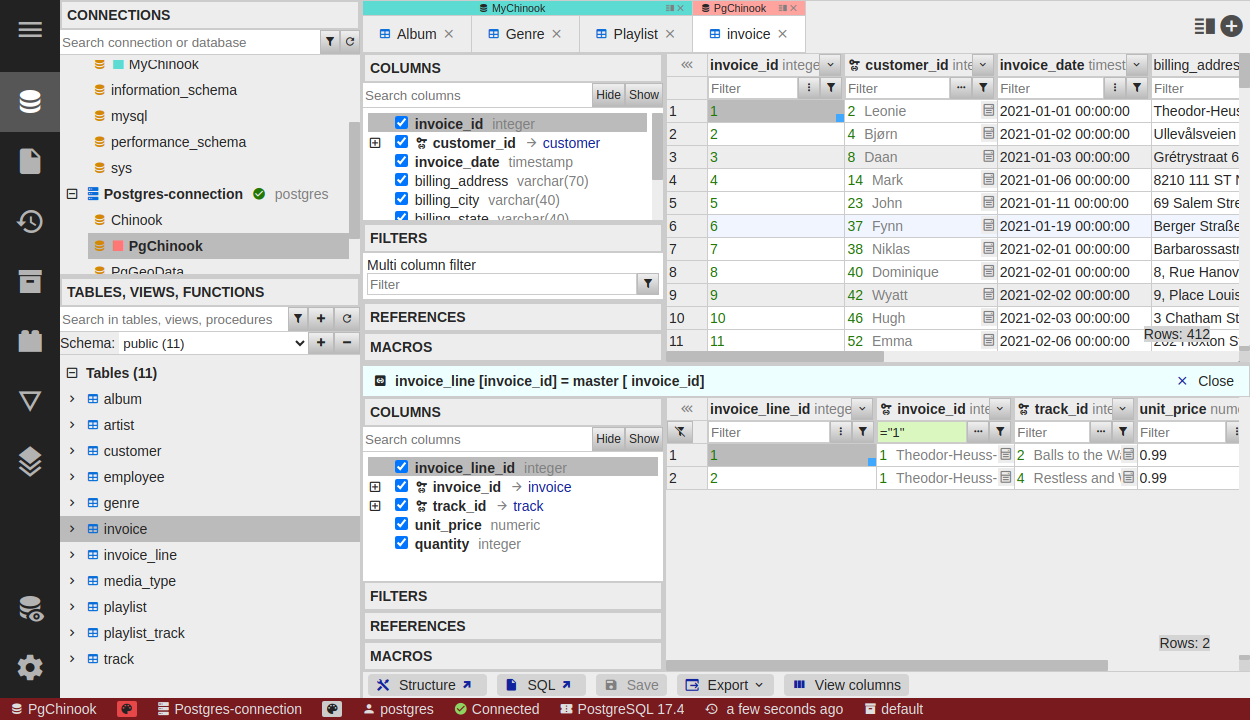
- Relation hints - see a text value from the referenced table next to a numeric foreign key.
- Foreign key column expansion - expand a foreign key column to view referenced data inline.
- Open detail - jump to the referenced row of a foreign key.
- Master/detail views (Premium) - explore related rows in a linked master/detail layout.
Form view
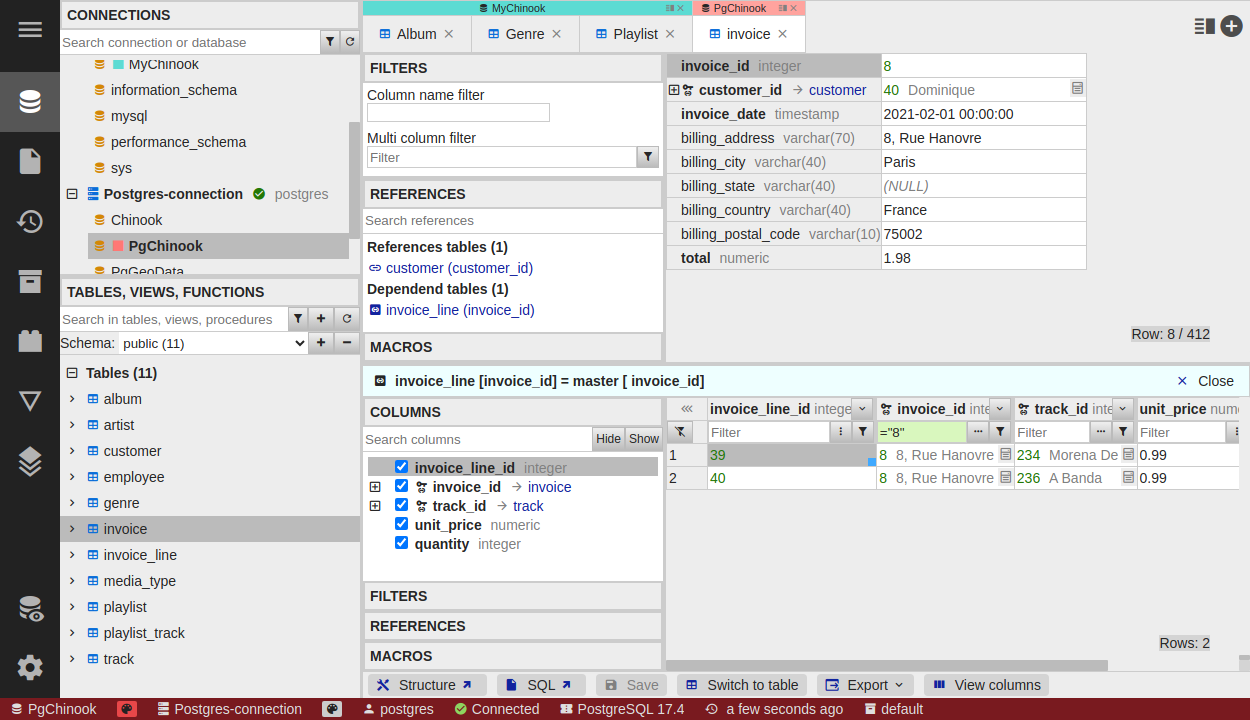
Form view shows a single row as a vertical, “transposed” list - ideal for tables with many columns. It works as a tree view, so foreign key columns can be expanded to explore related data.
Grouping (Premium)
Apply grouping (GROUP BY) in the grid view to aggregate rows directly while browsing.
Related pages
- Data filtering - filter expression syntax
- Export & import - move data in and out of tables
- Perspectives - nested, read-only views over complex related data
- SQL editor - edit query results in the same way (Premium)