ER diagrams
ER (entity-relationship) diagrams visualize your tables and the relations between them. Generate a diagram for the whole database or for a selected set of tables.
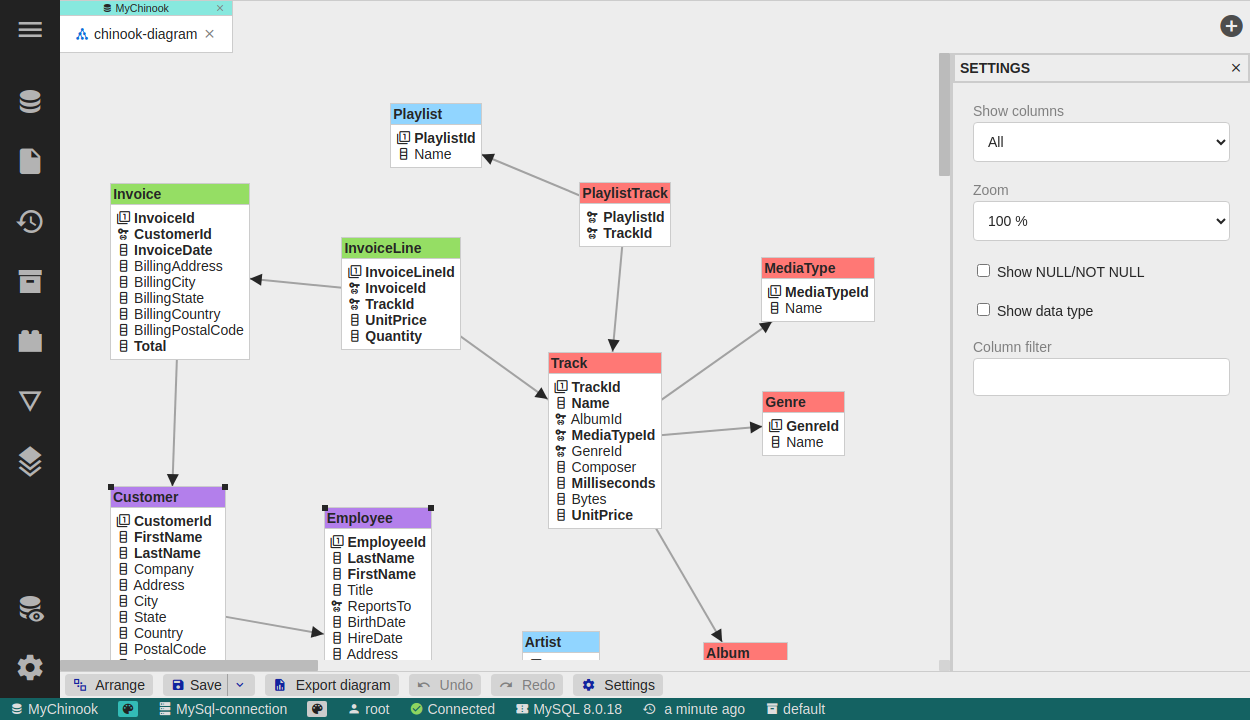
Creating a diagram
- Show relations for a single table, or the structure of the full database.
- Add tables to an existing diagram from the database object tree.
Customizing the diagram (advanced settings are Premium)
- Colors and groups - change the color of a table and define logical groups of tables.
- Choose columns - show all columns, only not-null columns, or only primary-key columns.
- Attributes - configure whether data types and NULL/NOT NULL flags are shown.
Export
Export the diagram to a simple, self-contained HTML page to share it or include it in documentation.
Diagrams are stored like other DbGate objects and can be shared through DbGate Cloud folders.